Your first mission in four steps.
You don't need to know what a fragment is, or what an anchor is, or what SEAD stands for. Just follow these four steps. Each takes a few seconds.
- 1
Pick a cell
On the Build page, the first dropdown is labelled Mission cell. A cell is a combination of three things:
- Map: Caucasus, Syria, Persian Gulf, Marianas, or Normandy.
- Era: Modern, Cold War, or WWII.
- Scenario: what you actually do, e.g. SEAD (suppress enemy air defenses), Carrier Ops, Strike, Foothold, Training Range.
A safe first pick:
Caucasus / Modern / DemoComposition. It is a simple bowl-shaped airspace with friendly fighters and some ground threats. Easy to fly, easy to spot what changed when you tweak settings.
- 2
Pick a recipe (optional)
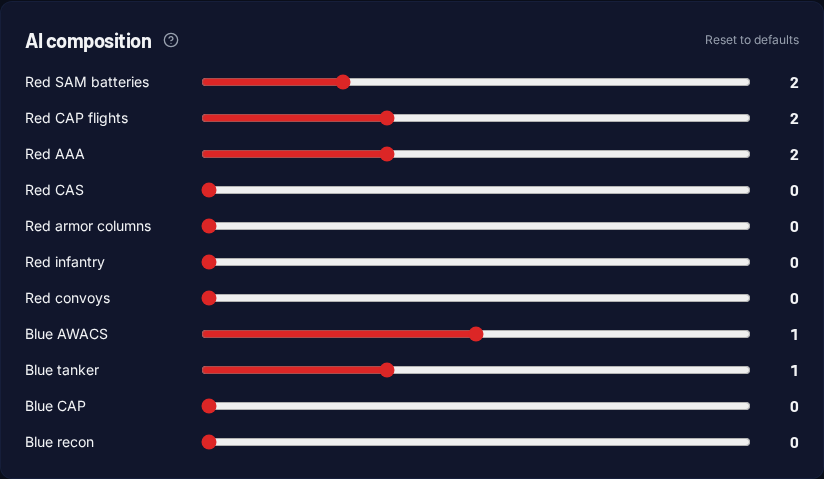
A recipe is a one-click preset that fills in the threat/support sliders for you. Pick from the Recipe preset dropdown:
sead_normal: moderate SAM threat with friendly support.cap_light: a couple of red CAP flights to chase.strike_normal: ground targets to bomb plus medium air-defense.multirole_hard: everything turned up.training_basic: almost no threats, just fly.
Don't want a recipe? Skip this. The sliders below give you a sensible default. You can also pick a recipe and then tune the sliders further.
- 3
Hit Build
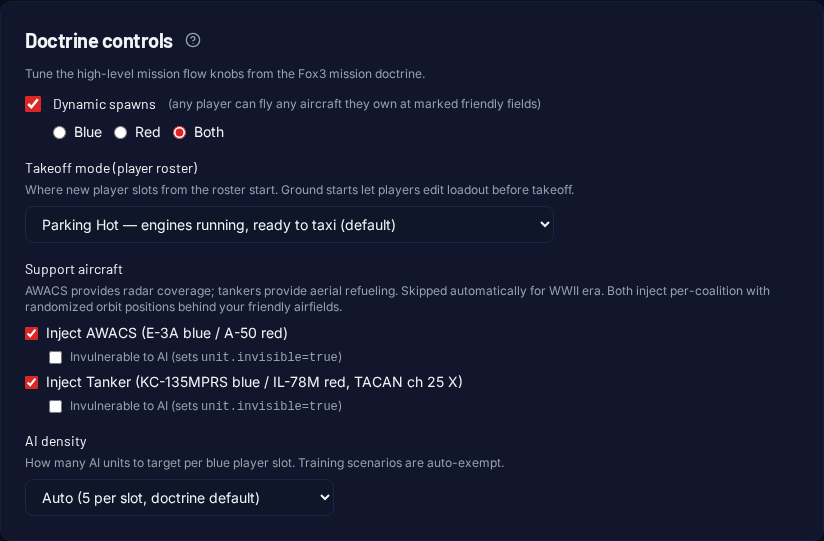
Scroll down and click the orange Build mission button. The engine takes ~8 seconds to:
- Open the seed mission for your cell.
- Pull the right number of fragments (units, flights, ground groups) from the 54,000-piece library.
- Inject them into the seed at the correct anchor points.
- Renumber unit IDs, remap flags, repackage the
.miz.
A live status panel shows progress. When it says Completed, you are ready for step 4.
- 4
Download & fly
Click Download .miz. Drop the file into your DCS
Missionsfolder (or open it directly with DCS → Mission → Open). Slot up, take off, fly the mission.When you're back, head to History to grab the same
.mizagain, or hit Remix to build a small variation (different threat count, different aircraft, etc.) without retyping every setting.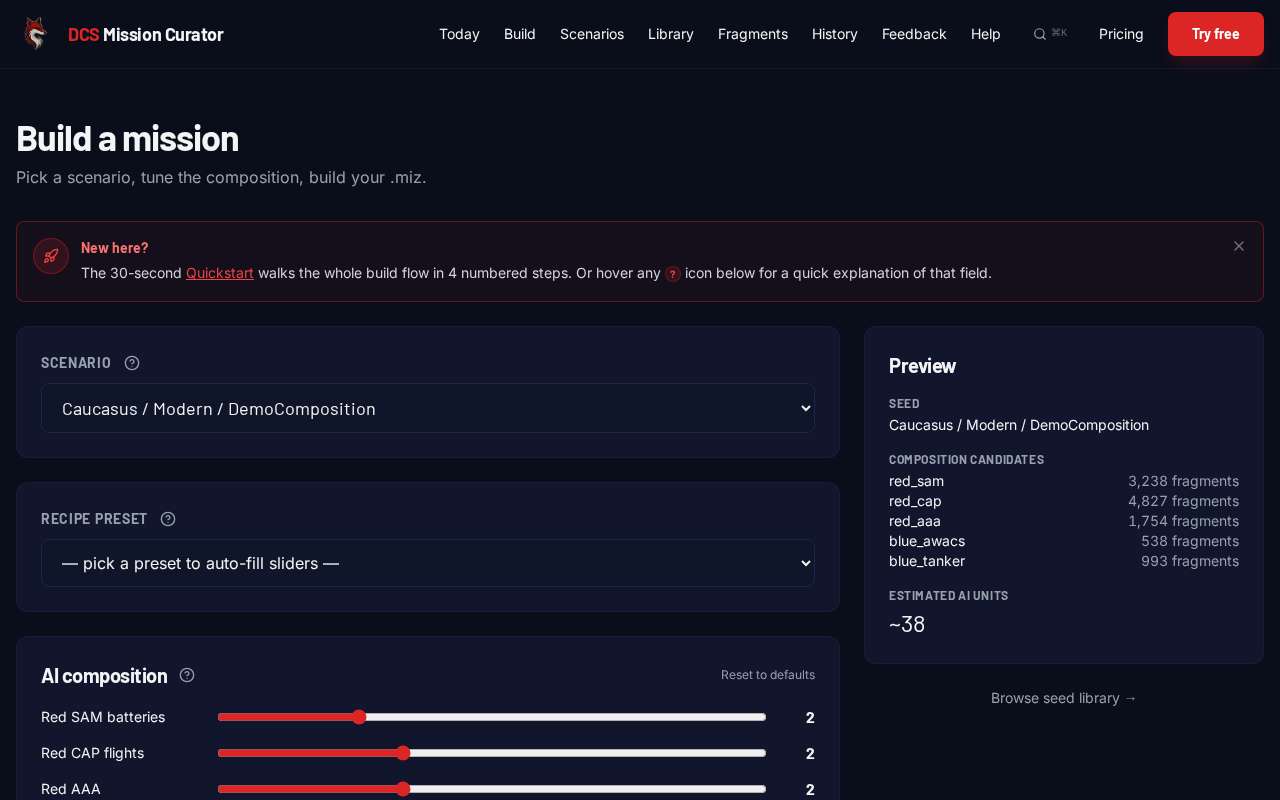
Common “wait, what?” moments
- The mission has different aircraft than I expected.
- The engine picks slot aircraft from the era pool by default (e.g. F-16C in Modern, MiG-21bis in Cold War, P-51D in WWII). To force a specific aircraft, expand Per-slot aircraft (advanced) and pick from the dropdowns.
- I asked for 5 red SAMs but only got 3.
- Each cell has a fixed pool of anchor points. If you ask for more than the pool has, the engine quietly clips down. Look at the live preview panel on /build for the per-role anchor poolcount. That's the ceiling.
- What is the F10 menu thing in the briefing?
- That is Fox3 MenuKit, an in-mission radio menu. Once you are in DCS, hit \\ for the comms menu, then F10 Other, and you will see options like Request Threats, Request Targets, Mark Target, and Mission Status. They are optional helpers. Ignore them if you want a pure flight.
- Glossary?
- Every term we use is in the Glossary with a one-line plain-English definition and a concrete example.